
Before You Paste AI-Generated PHP into WordPress, Check These Things
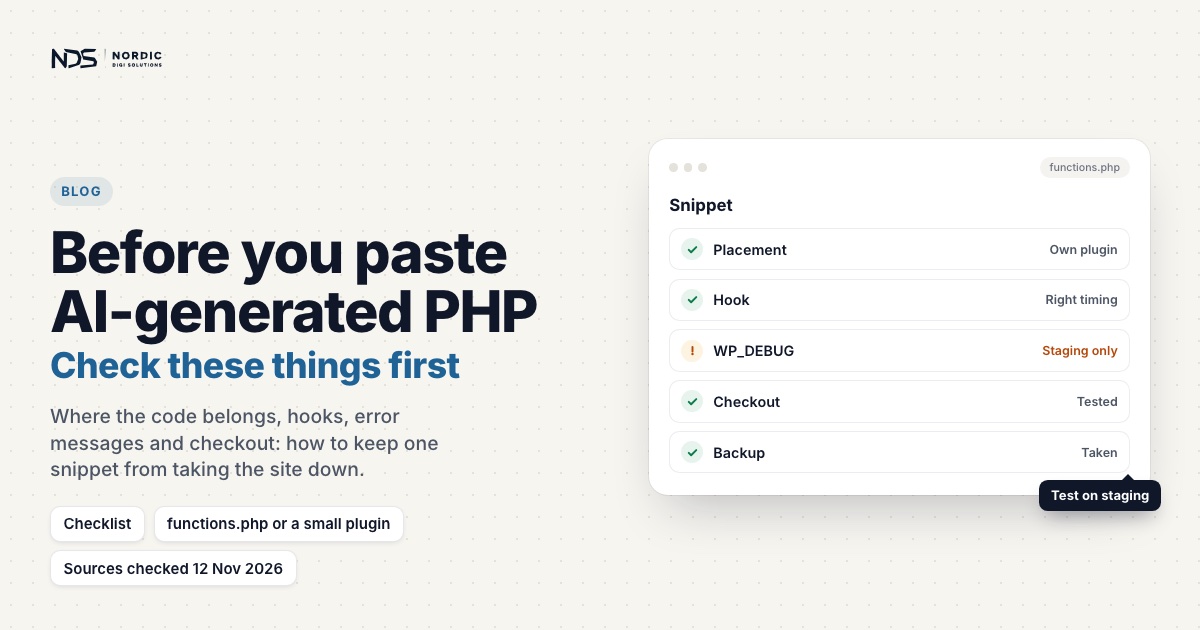
AI tools write WordPress PHP snippets in seconds. Remove a checkout field, add text to the thank-you page, redirect users after login, add a shortcode: AI will produce something for all of it. But PHP pasted in without review can break a site just as fast. One missing check, the wrong hook, an unsafe redirect or a stray echo can cause PHP warnings, broken AJAX responses, a white screen or a checkout that stops working.
AI-generated PHP isn’t bad by definition. The trouble is that WordPress has context, from themes and plugins to caching, sessions and redirects, that a snippet written in isolation knows nothing about. Check these things before you paste. For CSS, JavaScript, .htaccess and the deployment routine, see our AI-generated WordPress code review checklist.
Why AI-generated PHP snippets can be risky in WordPress
A WordPress site is not a blank PHP file. It has hooks, AJAX and REST requests, sessions, logged-in and logged-out visitors, caching and server rules, so a snippet can work in one situation and fail in yours. This looks harmless:
$id = $_SESSION['redirect_cache'];If the session key doesn’t exist, PHP 8 raises:
Warning: Undefined array key "redirect_cache"On a server that displays errors, that warning is printed into whatever the request returns: above the content on a normal page, inside the JSON on a WooCommerce AJAX request, where checkout then waits for an answer it can’t read. We found exactly this line in a WooCommerce checkout case: next to the rewrite rule that caused the outage, the unguarded session read was writing warning text into checkout’s AJAX responses.
Mistake 1: Pasting code straight into functions.php
Many AI snippets end with “add this to your theme’s functions.php“. Fine for a small theme change, but the WordPress Theme Handbook spells out the catch: functions.php only runs while its theme is active, so features that should work whatever the site looks like belong in a plugin. Code added to a parent theme’s files is also lost at the next theme update, which is what child themes are for. And an overloaded functions.php mixes unrelated snippets, duplicate names and business logic with design.
For checkout behaviour, form processing, redirects or order data, a small custom plugin is usually the safer home. It can be this small, in its own file under wp-content/plugins/:
<?php
/**
 * Plugin Name: My Shop Tweaks
 * Requires Plugins: woocommerce
 */

if (!defined('ABSPATH')) {
    exit;
}

// Your snippets go here, one purpose each, with a comment saying why.
The Requires Plugins header lists the plugins it depends on, and the ABSPATH check stops the file from being run directly, as the Plugin Handbook recommends.
Mistake 2: Not checking whether a variable exists
AI often assumes a variable exists:
$user_id = $_GET['user_id'];This warns if user_id is missing. Safer:
$user_id = isset($_GET['user_id']) ? absint($_GET['user_id']) : 0;Another risky example, and its safer version:
$email = $_POST['email'];

$email = isset($_POST['email']) ? sanitize_email(wp_unslash($_POST['email'])) : '';
Before using a value, ask whether the key exists, whether it is the expected type, whether it needs sanitizing or escaping, and what should happen if it is missing. This matters most for $_GET, $_POST, $_REQUEST, $_SESSION, $_COOKIE, order meta, user meta, plugin options and array keys from external APIs.
Mistake 3: Not sanitizing user input
Data from users, URLs, forms, cookies or external requests is untrusted until it has been cleaned, and WordPress’s handbook says validation, where you can do it, beats sanitizing. Bad:
$name = $_POST['name'];
update_option('myshop_customer_name', $name);
Better:
$name = isset($_POST['name']) ? sanitize_text_field(wp_unslash($_POST['name'])) : '';
update_option('myshop_customer_name', $name);
Match the function to the type of data:
$email = sanitize_email($email);
$page_id = absint($page_id);
$url = sanitize_url($url);
$title = sanitize_text_field($title);
$content = wp_kses_post($content);
Two traps: sanitize_title() sounds right for a title but turns a string into a slug, and AI still writes esc_url_raw(), which since WordPress 6.1 is just an alias of sanitize_url(). The wp_unslash() calls are there because WordPress adds slashes to $_GET, $_POST and $_COOKIE.
Mistake 4: Not escaping output
Sanitizing happens when data comes in; escaping happens when it goes out. If a snippet prints dynamic data into HTML, it should escape it. Bad:
echo '<p>' . $message . '</p>';Better, with the right function for each context:
echo '<p>' . esc_html($message) . '</p>';
echo '<a href="' . esc_url($url) . '">Visit page</a>';
echo '<input value="' . esc_attr($value) . '">';
echo wp_kses_post($content);
WordPress’s rule is to escape as late as possible, ideally on the line that prints the value. Unescaped output is how cross-site scripting (XSS) gets in, and AI snippets skip escaping because they are written as quick examples. In production code, escaping is not optional.
Mistake 5: Using the wrong WordPress hook
WordPress runs through a sequence of hooks, and the wrong one makes a snippet run too early, too late or in the wrong context. Bad:
WC()->cart->empty_cart();WooCommerce only sets up the cart for front-end and AJAX requests, from init onward. Run this earlier, or in wp-admin or a cron job, and WC()->cart is null, so PHP stops with “Call to a member function empty_cart() on null”. Better:
add_action('template_redirect', function() {
    if (function_exists('WC') && WC()->cart) {
        WC()->cart->empty_cart();
    }
});
Even then it should only run under careful conditions. Conditional tags have timing too: WooCommerce’s docs note that is_page(), is_checkout() and friends only work once WordPress has run its main query, and before that they return false without any warning. On a front-end page, the common hooks fire in this order:
init
wp_loaded
template_redirect
wp_enqueue_scripts
wp_head
wp_footer
If AI hands you a snippet on init, wp_head or template_redirect, check that the hook really fits the job.
Mistake 6: Running code everywhere instead of conditionally
A snippet should usually run only where needed. Bad:
add_action('wp_head', function() {
    echo '<script>alert("Hello");</script>';
});
This runs on every front-end page. Better:
add_action('wp_head', function() {
    if (!function_exists('is_checkout') || !is_checkout()) {
        return;
    }

    echo '<script>console.log("Checkout page only");</script>';
});
For a real script, enqueue a file with wp_enqueue_script() behind the same check instead of echoing a script tag. Other useful context guards:
if (!is_admin()) {
    return; // admin requests only
}

if (is_admin()) {
    return; // front end only
}

if (wp_doing_ajax()) {
    return; // skip AJAX requests
}
Know two things about is_admin(): it is also true on admin-ajax.php requests, and it says nothing about who the user is, so the Plugin Handbook warns it never replaces a capability check.
Mistake 7: Outputting text during AJAX or REST API requests
This one is serious. WooCommerce, forms and plugins use AJAX and REST requests that expect clean JSON, and any text, HTML, warning or debug output breaks the response. Bad:
add_action('init', function() {
    echo 'Debugging...';
});
This prints text into every request that loads WordPress, AJAX included. Leftover var_dump() and print_r() calls do the same: useful locally, dangerous on a live site. For debugging, write to the log instead:
error_log(print_r($data, true));On a staging copy, WordPress’s debug log catches warnings that happen out of sight, during AJAX requests or cron runs:
define('WP_DEBUG', true);
define('WP_DEBUG_LOG', true);
define('WP_DEBUG_DISPLAY', false);
WordPress advises against its debug tools on live sites; Mistake 13 covers production. And if code must skip REST requests, note that WordPress only defines REST_REQUEST during parse_request, so checking it on init always says no.
Mistake 8: Creating redirect loops
AI-generated redirect snippets are common and easy to get wrong:
add_action('template_redirect', function() {
    wp_redirect(home_url('/login/'));
    exit;
});
template_redirect fires only for front-end page loads, so wp-admin and REST calls are spared (on init they wouldn’t be), but every front-end URL is redirected: cart, checkout, the order-received page a guest sees after paying, and /login/ itself, which now loops. A safer redirect needs clear guards:
add_action('template_redirect', function() {
    if (is_user_logged_in() || is_page('login')) {
        return;
    }

    // On a store, let guests reach cart, checkout and their order receipt.
    if (function_exists('is_checkout') && (is_cart() || is_checkout() || is_wc_endpoint_url('order-received'))) {
        return;
    }

    wp_safe_redirect(home_url('/login/'));
    exit;
});
wp_safe_redirect() only redirects to allowed hosts, by default your own, and like wp_redirect() it does not stop the script, so exit follows. Even then, test login, cart, checkout, account pages and a full guest order before you trust it.
Mistake 9: Changing WooCommerce without keeping its native flow
WooCommerce has many hooks and filters, but checkout is sensitive. Making the phone field required is simple on the classic checkout:
add_filter('woocommerce_checkout_fields', function($fields) {
    if (isset($fields['billing']['billing_phone'])) {
        $fields['billing']['billing_phone']['required'] = true;
    }

    return $fields;
});
So is removing address line 2:
add_filter('woocommerce_checkout_fields', function($fields) {
    unset($fields['billing']['billing_address_2']);
    return $fields;
});
Note the return $fields;. A filter must hand back what it was given: PHP returns null from a function without a return statement, and WooCommerce then works with null instead of the field list.
Now check which checkout the store runs. WooCommerce documents this filter for the shortcode checkout, and stores set up since WooCommerce 8.3 use the Checkout block by default. There, hiding the Company, Address line 2 or Phone field, or making it optional or required, is a block editor setting with no code needed, and new fields go through the Additional Checkout Fields API. On HPOS stores (the default since 8.2), save order data with $order->update_meta_data() and $order->save(), not update_post_meta().
Don’t edit WooCommerce’s own files (WooCommerce warns those changes vanish at the next update), rebuild the checkout markup by hand or disable checkout scripts. Hidden fields matter: the classic checkout form carries a nonce field, woocommerce-process-checkout-nonce, and if a rebuilt form drops it, every order fails with “We were unable to process your order, please try again.” Keep checkout native and place a full test order after every change.
Mistake 10: Not checking for function name conflicts
AI often generates generic function names:
function custom_checkout_fields() {
    // code
}
If another snippet or plugin already declared that name, the site crashes. PHP 8.5 words it like this:
Fatal error: Cannot redeclare function custom_checkout_fields() (previously declared in ...)Use a unique prefix. The Plugin Handbook asks for at least four letters, five recommended, that aren’t a common English word, so instead of fix_checkout():
function myshop_fix_checkout_phone_field() {
}
Anonymous functions avoid name clashes, but you can’t easily unhook them later: remove_action() only works when it gets the same callback and priority that were added. For anything you might want to switch off, use a prefixed named function.
Mistake 11: Not checking plugin or theme dependencies
AI-generated PHP may call functions that only exist when a plugin is active:
WC()->cart->get_cart();This requires WooCommerce. A safer guard:
if (!function_exists('WC')) {
    return;
}
WooCommerce conditionals like is_product() don’t exist when WooCommerce is inactive, and calling one then stops the site with “Call to undefined function”. Check first:
if (function_exists('is_product') && is_product()) {
    // code
}
For a whole block of WooCommerce code, WooCommerce’s developer docs suggest the woocommerce_init hook, which only fires when WooCommerce is active. Either way, a plugin that is briefly deactivated or mid-update no longer takes the site down with it.
Mistake 12: Ignoring nonces and permissions
If a snippet processes form submissions or admin actions, it needs a capability check and a nonce, and they do different jobs: WordPress says a nonce confirms intent and helps against cross-site request forgery, but must never be relied on for permission. Bad:
if (isset($_POST['save_settings'])) {
    update_option('my_setting', $_POST['my_setting']);
}
Better, hooked so it runs on admin requests only, with wp_nonce_field('myshop_save_settings') in the form:
add_action('admin_init', function() {
    if (!isset($_POST['myshop_save_settings'])) {
        return;
    }

    check_admin_referer('myshop_save_settings');

    if (!current_user_can('manage_options')) {
        return;
    }

    $value = isset($_POST['myshop_setting']) ? sanitize_text_field(wp_unslash($_POST['myshop_setting'])) : '';
    update_option('myshop_setting', $value);
});
Use nonce verification on front-end forms too, but know its limit: by default WordPress gives every logged-out visitor the same nonce, so for guests it doesn’t stop forged submissions on its own.
Mistake 13: Hiding problems instead of fixing them
Sometimes people silence PHP warnings by switching error reporting off:
error_reporting(0);That is not a fix. On a live site, errors should never be shown to visitors but should still be logged, and that is PHP’s job rather than WordPress debug mode’s: the PHP manual says display_errors should never be on in production and strongly advises log_errors instead. Reproduce the problem on staging with the WP_DEBUG settings from Mistake 7, then fix the cause. Messages like these all point at something real (PHP 8.5 wording):
Warning: Undefined array key "redirect_cache"
Warning: Trying to access array offset on null
Warning: Cannot modify header information - headers already sent
Fatal error: Uncaught Error: Call to undefined function is_checkout()
Deprecated: ...
A printed warning doesn’t have to be visible to do damage. Inside an AJAX, REST or feed response it corrupts the JSON or XML, and output before PHP sends its headers stops later redirects and cookies: that is what “headers already sent” means.
Mistake 14: Not testing after adding the snippet
After adding PHP, test the affected area and the critical flows. On a normal site: the homepage, contact form, navigation, mobile menu, admin access, login and logout, and page editing. On WooCommerce: product page, add to cart, cart, checkout, payment method selection, placing an order, the thank-you page, email notifications, and both logged-in and guest checkout. On membership or course sites: login, registration, the account area, protected content and the payment or subscription flow. A snippet can work on one page while breaking another.
A safer checklist before pasting AI PHP into WordPress
Placement
- Where should this code go?
- Is
functions.phpreally the right place, or should it be a small custom plugin?
Safety
- Are variables checked before use?
- Is input validated or sanitized, and output escaped?
- Are capabilities checked, and is a nonce needed?
WordPress context
- Does it use the right hook, and run only where needed?
- Does it check plugin dependencies?
- Could it affect admin, AJAX, REST API or cron?
WooCommerce context
- Was it written for the checkout this store actually uses?
- Does it keep the native checkout flow and its hidden fields?
- Was a test order completed?
Debugging
- Does it output anything unexpectedly or create PHP warnings?
- Does
php -lpass, and is error display off in production? - Is there a backup before adding it?
If you can’t answer these, the snippet needs review before it goes live.
Example: turning an unsafe AI snippet into safer WordPress code
Imagine AI gives you this:
add_action('wp_head', 'show_customer_id');

function show_customer_id() {
    $id = $_GET['id'];
    echo '<div>Customer ID: ' . $id . '</div>';
}
It runs on every page, assumes id exists, doesn’t sanitize the input or escape the output, prints a div into the <head>, and uses an unprefixed name. A safer version:
add_action('wp_footer', 'myshop_show_customer_id_notice');

function myshop_show_customer_id_notice() {
    if (!is_page('customer-info')) {
        return;
    }

    $id = isset($_GET['id']) ? absint($_GET['id']) : 0;

    if (!$id) {
        return;
    }

    echo '<div class="customer-id-notice">';
    echo 'Customer ID: ' . esc_html($id);
    echo '</div>';
}
It is still only an example, but it shows the mindset: check context, validate data, escape output, and avoid global side effects.
What to do if AI PHP broke your WordPress site
- Remove the last snippet. Disable it in your snippets plugin, or remove it from
functions.phpthrough your host’s file manager or SFTP. Locked out by a fatal error? Since WordPress 5.2, the site admin gets an email with a recovery-mode link that lets you log in with the broken plugin or theme paused. - Check the error log for fatal errors, undefined functions, syntax errors and unexpected output.
- Restore a backup if the damage is severe.
- Test the critical flows: front end, admin, forms, and checkout if WooCommerce is active.
- Rewrite the snippet properly instead of pasting a second random one on top of it.
When to ask for help
Get a WordPress developer to review AI-generated PHP when it:
- Affects WooCommerce checkout
- Touches login or redirects
- Changes user roles or permissions
- Processes form submissions
- Changes order data
- Uses sessions or cookies
- Adds
.htaccessor server logic - Creates PHP warnings or breaks AJAX or the REST API
- Leaves you unsure where the code should go
Final thoughts
Treat AI-generated PHP as a first draft. A good snippet is placed correctly, scoped to where it is needed, safe with missing values, sanitized, escaped, hook-aware, tested and easy to remove, and a short review before you paste is far cheaper than an emergency repair afterwards.
Did an AI snippet already break something? Our WordPress fix service starts from €199, the diagnosis is free, and it is no fix, no fee. For fatal errors, white screens and warnings, see PHP bug fixing. If the snippet isn’t live yet, send it to us: we check how it behaves in your real setup and agree a fixed price in writing before any work starts.
Sources
Last checked 12 November 2026.
- WordPress Developer Resources: Validating Data, Sanitizing Data and Escaping Data. Validation over sanitizing, the functions, escaping late.
- WordPress Developer Resources: Nonces, User Roles and Capabilities and Common Vulnerabilities. Nonces are no permission check, guests share one nonce, manage_options, XSS.
- WordPress Code Reference: wp_unslash(), wp_magic_quotes(), esc_url_raw() and sanitize_title(). Slashed request data, the sanitize_url() alias, slugs.
- WordPress Plugin Handbook: Best Practices and Header Requirements. Prefixes, the ABSPATH check, is_admin() is no capability check, the Requires Plugins header.
- WordPress Theme Handbook: Theme Functions. functions.php versus a plugin, and child themes.
- WordPress Developer Resources: Action Reference, template_redirect and Plugin Handbook: Hooks. Hook order, front-end only redirects, filters must return a value.
- WordPress Code Reference: wp_safe_redirect() and remove_action(). Allowed hosts and exit; unhooking needs the same callback and priority.
- WordPress Code Reference: wp_is_serving_rest_request() and admin-ajax.php on GitHub. REST_REQUEST only from parse_request; admin-ajax.php defines WP_ADMIN.
- WordPress: Debugging in WordPress. The WP_DEBUG settings, logging with error_log(), and no debug tools on live sites.
- Make WordPress Core: Fatal Error Recovery Mode in 5.2. The recovery-mode email.
- PHP Manual: Runtime configuration for errors. display_errors off in production, log_errors on.
- PHP Manual: Backward incompatible changes in PHP 8.0, Returning values and header(). Undefined array key warnings, null without return, headers before output.
- WooCommerce Developer Docs: Customizing checkout fields and Additional checkout fields. The billing_phone and billing_address_2 fields, the shortcode-checkout note, the block field API.
- WooCommerce: Customizing the Cart and Checkout Pages and Checkout block. Blocks by default since 8.3, the Address Fields setting.
- WooCommerce Developer Docs: HPOS recipe book and Template structure. Order meta through the order object; edits to plugin files are lost on update.
- WooCommerce Developer Docs: How to check if WooCommerce is active and Conditional tags. woocommerce_init; conditionals return false when used too early.
- WooCommerce: Endless loading/spinner on the checkout page. PHP warnings that replace the JSON checkout expects.
- WooCommerce on GitHub: class-woocommerce.php, checkout/payment.php and class-wc-checkout.php. When the cart loads; the checkout nonce field and the error when it is missing.
Related articles
How to Convert Static HTML into a WordPress Theme Without Breaking the Site
AI can generate a good-looking static HTML site in minutes, but forcing it into WordPress with file uploads and .htaccess rewrites breaks routing, plugins, forms and checkout. This 18-step guide shows how to convert static HTML into a proper WordPress theme, with header, footer, enqueued assets, menus and native WooCommerce intact.
Read articleHow AI-Generated .htaccess Rules Can Break WordPress
A single AI-generated .htaccess rule can change how every request reaches WordPress, and break checkout, AJAX, forms or the REST API while the homepage still loads perfectly. Here's why these rewrites are so risky, the mistakes to avoid, and how to review a rule safely before it goes live.
Read articleAI-Generated WordPress Code Review Checklist
AI can generate WordPress code in seconds, but a snippet that looks correct can still break checkout, redirects, AJAX, or plugin compatibility. This 20-point checklist gives you a practical way to review AI-generated code before it touches functions.php, .htaccess, or WooCommerce, covering placement, hooks, sanitization, escaping, security, performance, and a rollback plan.
Read article