
AI-Generated WordPress Code Review Checklist
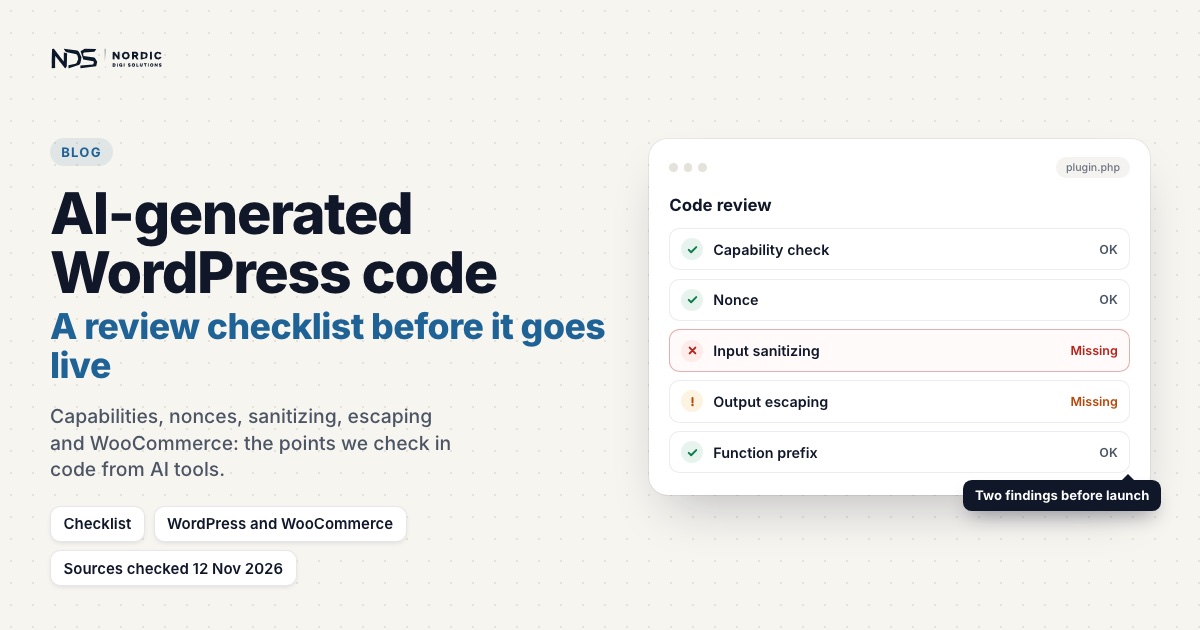
AI will write you a WordPress feature in seconds: PHP snippets, CSS fixes, JavaScript, WooCommerce hooks, .htaccess rules, even whole templates. The code can look right and still break checkout, forms, redirects, AJAX, the REST API, login or the mobile layout, and the risk climbs when it touches WooCommerce, server rules, user data or payments.
This checklist is a practical way to review AI-generated code before it goes near functions.php, a snippets plugin, a custom plugin, .htaccess, theme templates or your JS and CSS. Keep using AI; just review what it gives you before your customers see it. For PHP snippets in particular, our companion post on what to check before you paste AI-generated PHP into WordPress goes deeper.
Why AI-generated WordPress code needs review
A real site runs a theme, a stack of plugins, often WooCommerce, caching, AJAX, the REST API and third-party scripts. AI writes for a clean example instead, and the gap shows up as checkout warnings, redirect loops, blocked requests or clashing function names. A quick review is cheaper than emergency debugging.
1. Understand what the code is supposed to do
Write the purpose in one sentence:
Make the WooCommerce phone field required.If you can’t, don’t add the code yet. Be clear about which page or feature it should affect, which files it changes, whether it is a design, functionality or server change, who it affects, and whether it needs to run everywhere or on one page. Good code has a clear scope.
2. Check where the code should go
AI often says “add this to functions.php“. The WordPress Theme Handbook explains the trade-off: a theme’s functions.php only runs while that theme is active, so a theme change takes the feature with it, and features that should work whatever the site looks like belong in a plugin. A practical split:
- Theme files for layout, templates, menus and asset loading. If you didn’t write the theme, use a child theme, so the next theme update doesn’t wipe out your change.
- A small custom plugin for business logic: checkout rules, order metadata, redirects, form processing, user roles and custom post types.
- WooCommerce hooks and filters for checkout fields, emails and cart behaviour, once you know which checkout the store runs (point 14).
.htaccessonly for changes that truly belong at server level.
3. Check whether the code uses WordPress hooks correctly
WordPress code runs through hooks, and the hook decides when it runs. The first six below fire in this order on a front-end page load; admin_init belongs to admin requests and save_post to saving content:
init
wp_loaded
template_redirect
wp_enqueue_scripts
wp_head
wp_footer
admin_init
save_post
WooCommerce hooks AI likes to use (the checkout ones belong to the classic checkout, see point 14):
woocommerce_checkout_fields
woocommerce_before_checkout_form
woocommerce_after_checkout_form
woocommerce_thankyou
woocommerce_email_order_meta
woocommerce_checkout_update_order_meta
The wrong hook runs code too early, too late, on the wrong page, during AJAX or admin requests, or before WooCommerce is ready. This redirect is hooked far too broadly:
add_action('init', function() {
    wp_redirect(home_url('/login/'));
    exit;
});
init fires on front-end pages and wp-admin requests alike, and before WordPress answers a REST API call, so this sends all of them, /login/ included, to /login/. The site loops and wp-admin is unreachable. Adding a check like is_page('login') doesn’t rescue it either: conditional tags only work once WordPress has run its query, and before that they quietly return false. WordPress’s documentation names template_redirect as the hook for redirects; point 10 shows a safe version.
4. Check variable safety
AI-generated PHP often assumes data exists:
$id = $_GET['id'];If id is missing, PHP 8 raises Warning: Undefined array key "id". Safer:
$id = isset($_GET['id']) ? absint($_GET['id']) : 0;Treat $_POST, $_SESSION, $_COOKIE, order meta, options and user meta the same way: does the key exist, is the value the expected type, and what happens if it is missing? Where only a few values make sense, validate against a list; WordPress prefers validation to sanitization and recommends a strict in_array() check for this. Small warnings matter: a PHP warning printed into a WooCommerce AJAX response is one of the causes WooCommerce lists for a checkout that never stops loading.
5. Check sanitization
Sanitizing cleans input before you store or use it. Common functions:
sanitize_text_field()
sanitize_email()
sanitize_key()
sanitize_title()
absint()
sanitize_url()
wp_kses_post()
Bad:
$name = $_POST['name'];
update_option('myshop_customer_name', $name);
Better:
$name = isset($_POST['name']) ? sanitize_text_field(wp_unslash($_POST['name'])) : '';
update_option('myshop_customer_name', $name);
Two details AI often gets wrong. WordPress adds slashes to $_GET, $_POST and $_COOKIE, so strip them with wp_unslash() before you sanitize. And match the function to the data: sanitize_title() turns a string into a slug, so it is the wrong tool for a product title, while sanitize_url() (esc_url_raw() is an alias) is right for a URL you are about to store.
6. Check escaping
Escaping makes output safe at the moment it is printed. Bad:
echo '<p>' . $message . '</p>';Better:
echo '<p>' . esc_html($message) . '</p>';Use esc_attr() for attributes, esc_url() for URLs and wp_kses_post() for limited HTML. WordPress’s rule is to escape as late as possible, ideally on the line that prints the value, so a reviewer can see at a glance that it is safe. Unescaped output is how cross-site scripting (XSS) gets in, and AI examples often skip escaping to stay short.
7. Check function names
AI likes generic names such as custom_checkout_fields(). If another plugin already declared that function, PHP stops with a fatal error. This is the PHP 8.5 wording:
Fatal error: Cannot redeclare function custom_checkout_fields() (previously declared in ...)The Plugin Handbook asks you to prefix everything global (functions, classes, global variables, options and transients) with at least four letters, five recommended, that aren’t a common English word: myshop_fix_checkout_phone_field(), not a two-letter prefix. Watch for AI wrapping every function in if (!function_exists(...)). The handbook calls that a fatal flaw: if a function with the same name loads first, yours is never defined and your code breaks.
8. Check plugin dependencies
AI code may call plugin functions that only exist when the plugin is active:
WC()->cart->get_cart();Guard it:
if (!function_exists('WC') || !WC()->cart) {
    return;
}
Both halves matter. WooCommerce may be inactive, and WooCommerce only loads the cart for front-end and AJAX requests, from init onward, so in wp-admin screens and cron jobs WC()->cart is null. Conditionals such as is_product() don’t exist without WooCommerce either, so check function_exists('is_product') first. For a block of WooCommerce-only code, WooCommerce’s developer docs suggest the woocommerce_init hook, which only fires when WooCommerce is active.
9. Check AJAX and REST API safety
AJAX and REST requests expect clean JSON, so code that prints HTML, warnings or debug text during them breaks the feature. Avoid this:
add_action('init', function() {
    echo 'Debugging...';
});
Never leave var_dump(), print_r() or die() in live code. Log instead:
error_log(print_r($data, true));Useful guards, when code shouldn’t run during these requests:
if (wp_doing_ajax()) {
    return;
}

if (defined('REST_REQUEST') && REST_REQUEST) {
    return;
}
Know what they cover. wp_doing_ajax() is true for admin-ajax.php requests and, from init onward, for the ?wc-ajax= requests the classic checkout uses. The REST check only works from the parse_request action onward, where WordPress defines REST_REQUEST; on init it is always false. wp_is_serving_rest_request() (WordPress 6.5) has the same timing rule. It matters for the Checkout block, which uses the Store API under /wp-json/wc/store/.
10. Check redirect logic
A redirect can be dangerous even on the right hook. This one has no conditions:
add_action('template_redirect', function() {
    wp_redirect(home_url('/login/'));
    exit;
});
template_redirect only fires when a front-end page is about to load, so wp-admin and REST API calls never reach it. Every front-end URL does: cart, checkout, the order-received page a guest lands on after paying, and /login/ itself, which now loops. A safer version:
add_action('template_redirect', function() {
    if (is_user_logged_in() || is_page('login')) {
        return;
    }

    // On a store, let guests reach cart, checkout and their order receipt.
    if (function_exists('is_checkout') && (is_cart() || is_checkout() || is_wc_endpoint_url('order-received'))) {
        return;
    }

    wp_safe_redirect(home_url('/login/'));
    exit;
});
wp_safe_redirect() only redirects to allowed hosts, by default your own (anything else falls back to wp-admin), and neither redirect function stops the script, so exit must follow. Check that every exclusion the site needs is there and that nothing can loop.
11. Check .htaccess rules carefully
On Apache, .htaccess rules decide how a request is served before WordPress handles it, so one AI-generated line can reach every request:
RewriteRule ^$ /home.html [L]That exact rule is what we traced in a checkout case where the rewrite intercepted WooCommerce AJAX. Meant for a static homepage, it also matched the classic checkout’s requests to the site root (/?wc-ajax=update_order_review), so checkout got HTML instead of JSON. Test any new rule against:
/wp-admin/
/wp-login.php
/wp-json/
/cart/
/checkout/
/my-account/
/?wc-ajax=
Back up the file, change one thing at a time, clear caches and check for loops. Our post on how AI-generated .htaccess rules can break WordPress covers the common mistakes one by one.
12. Check CSS scope
AI-generated CSS can reach too far:
button {
    display: none;
}
That hides every button on the site, checkout included. Scope rules to the section they are meant to change:
.woocommerce-checkout .form-row input {
    width: 100%;
}
Look for selectors that are too broad, hide important elements or cause horizontal scrolling on mobile.
13. Check JavaScript dependencies
AI JavaScript may assume elements exist. Bad:
document.querySelector('.menu-button').addEventListener('click', function() {
    document.querySelector('.menu').classList.toggle('open');
});
querySelector() returns null when nothing matches, so on any page without .menu-button this throws an error and the rest of the script stops. Safer:
const menuButton = document.querySelector('.menu-button');
const menu = document.querySelector('.menu');

if (menuButton && menu) {
    menuButton.addEventListener('click', function() {
        menu.classList.toggle('open');
    });
}
Load scripts with wp_enqueue_script() on the wp_enqueue_scripts hook, with jQuery or any other library in the dependency list, instead of hardcoding a script tag into a template.
14. Check WooCommerce-specific impact
Check whether the code touches the cart session, checkout fields, payment or shipping methods, totals, coupons, order creation, the thank-you page or emails. Then check which checkout the store runs, because AI usually writes for the classic one. Stores set up since WooCommerce 8.3 (November 2023) get the Cart and Checkout blocks by default, while the filter AI reaches for first is documented for the shortcode checkout:
add_filter('woocommerce_checkout_fields', function($fields) {
    return $fields;
});
On the Checkout block, hiding the Company, Address line 2 or Phone field, or making it optional or required, is a block editor setting, and new fields go through the Additional Checkout Fields API. WooCommerce also says hook-based checkout customisations usually need extra work to support the blocks, so test a classic-checkout snippet on the checkout your customers actually see.
Order data has a similar trap. AI often saves order details with update_post_meta(), but since WooCommerce 8.2 new stores keep orders in their own tables (High-Performance Order Storage), and WooCommerce warns that writing to the old post tables may update an order that is never read. Use $order->update_meta_data() and $order->save(); our HPOS compatibility guide covers the switch itself. After any WooCommerce change, test the whole path:
Product → Cart → Checkout → Payment → Order Received → Email15. Check performance impact
Code can work and still slow the site: queries or API calls on every page, assets loaded everywhere, heavy loops, no caching. A bad pattern:
add_action('wp_footer', function() {
    $orders = wc_get_orders(array('limit' => -1));
    // output something
});
In wc_get_orders() a limit of -1 means no limit: every order in the store, on every page view. WooCommerce’s advice is to limit and paginate order queries and cache the results where that makes sense. Ask whether the code needs to run on every page at all.
16. Check security and permissions
Code that changes settings, saves data, processes forms or performs admin actions needs two separate checks: a capability check (for settings, usually current_user_can('manage_options')) and a nonce. WordPress is explicit that a nonce confirms intent and helps against cross-site request forgery, but must never be relied on as a permission check. Bad:
if (isset($_POST['save_settings'])) {
    update_option('my_setting', $_POST['my_setting']);
}
Better, hooked so it only runs on admin requests, with wp_nonce_field('myshop_save_settings') printed in the form:
add_action('admin_init', function() {
    if (!isset($_POST['myshop_save_settings'])) {
        return;
    }

    check_admin_referer('myshop_save_settings');

    if (!current_user_can('manage_options')) {
        return;
    }

    $value = isset($_POST['myshop_setting']) ? sanitize_text_field(wp_unslash($_POST['myshop_setting'])) : '';
    update_option('myshop_setting', $value);
});
If the code builds its own SQL, every variable goes through $wpdb->prepare(), and where a WordPress function already does the job, use the function. AI examples skip these details because they are written to be short.
17. Check translation readiness
Hardcoded text causes problems on multilingual and non-English sites. Wrap it in a translation function with your plugin’s text domain, which WordPress requires to match the plugin’s slug, and tell translators what each placeholder is:
printf(
    /* translators: %s: order number */
    esc_html__('Order number: %s', 'my-plugin'),
    esc_html($order_number)
);
18. Check error handling
Good code fails safely when data is missing, an API fails, a plugin is inactive, the cart is empty or an ID is invalid. Bad:
$order = wc_get_order($order_id);
echo $order->get_billing_email();
wc_get_order() returns false when there is no such order, and the next line stops the page with “Call to a member function get_billing_email() on false”. Better:
$order = wc_get_order($order_id);

if (!$order) {
    return;
}

echo esc_html($order->get_billing_email());
19. Test on staging first
A staging copy lets you catch PHP errors, layout changes, checkout problems, plugin conflicts, redirects and cache behaviour without risking real orders. WordPress’s own debugging guide opens with the same advice: use a staging site or take a backup before you change anything. Then deploy at a quiet time, clear caches and retest the critical flows.
20. Keep a rollback plan
Know how to undo the change before you make it: a full backup, a Git commit, a copy of the old file, a disabled snippet or a saved copy of .htaccess. For anything bigger than a snippet, use Git. A rollback plan turns a risky change into a controlled one.
Let tools do the first pass
Two free checks catch a lot before anyone reads a line. php -l file.php checks the syntax without running the code: a missing bracket or semicolon, but not runtime errors such as a call to a function that doesn’t exist. Then run PHP_CodeSniffer with the WordPress Coding Standards (vendor/bin/phpcs --standard=WordPress file.php). Its sniffs flag unescaped output, form processing without nonce checks, unsanitized input, redirects that should use wp_safe_redirect() and globals without a prefix.
Quick AI WordPress code review checklist
Before adding AI code, confirm:
- I understand what the code does.
- I know where the code should go.
- It uses the correct WordPress hook.
- It runs only where needed.
- Variables are checked before use.
- User input is validated or sanitized.
- Output is escaped.
- Function names are uniquely prefixed.
- Plugin dependencies are checked.
- It does not output during AJAX or REST requests.
- Redirects have safe conditions.
.htaccesschanges are backed up and tested.- CSS selectors are scoped.
- JavaScript checks elements before using them.
- It works with the checkout the store really uses.
- Performance impact is acceptable.
- Capabilities and nonces are checked where needed.
- Text is translation-ready where relevant.
- Errors are handled safely.
- It passed
php -land PHPCS, was tested on staging, and there is a rollback plan.
If even one important item is unclear, pause and review the code before going live.
What to do if AI code already broke your site
- Remove or disable the last change, and restore the previous file if needed.
- Check the PHP error log.
- Clear caches and test the broken flow again.
- Review the code properly before re-adding it, instead of stacking another AI snippet on top.
The usual suspects are functions.php, a snippets plugin, custom plugin files, .htaccess, theme templates and the theme’s JS and CSS. Locked out of wp-admin by a fatal error? Since WordPress 5.2, the site admin gets an email with a recovery-mode link that lets you log in with the broken plugin or theme paused. Otherwise, remove the code through your host’s file manager or SFTP.
Final thoughts
AI-generated code deserves the same review as any other code, and the faster it arrives, the more the review matters.
Has AI-written code already broken something? Our WordPress fix service starts from €199, the diagnosis is free, and it is no fix, no fee. For fatal errors and white screens, see PHP bug fixing. If the code hasn’t gone live yet, send it to us first: we check it against your real setup and agree a fixed price in writing before any work starts.
Sources
Last checked 12 November 2026.
- WordPress Developer Resources: Validating Data and Sanitizing Data. Validation first, strict in_array(), the sanitizing functions.
- WordPress Developer Resources: Escaping Data. The escaping functions and escaping late.
- WordPress Developer Resources: Nonces, User Roles and Capabilities and Common Vulnerabilities. Nonces are not permission checks; manage_options; XSS; $wpdb->prepare().
- WordPress Code Reference: wp_unslash(), wp_magic_quotes(), esc_url_raw() and sanitize_title(). Slashed request data, the sanitize_url() alias, slugs.
- WordPress Plugin Handbook: Best Practices. Prefixes of four letters or more, and the function_exists() caveat.
- WordPress Plugin Handbook: How to Internationalize Your Plugin. Text domain and translators comments.
- WordPress Theme Handbook: Theme Functions. functions.php versus a plugin, and child themes.
- WordPress Developer Resources: Action Reference and template_redirect. Hook order, admin requests, the redirect hook.
- WordPress Code Reference: wp_safe_redirect(). Allowed hosts only (your own by default), the wp-admin fallback, and exit afterwards.
- WordPress Code Reference: wp_doing_ajax(), wp_is_serving_rest_request() and rest_api_loaded(). What the guards test, and when REST_REQUEST exists.
- WordPress Code Reference: wp_enqueue_script(). Dependencies and the wp_enqueue_scripts hook.
- WordPress: Debugging in WordPress. Staging or backup first; error_log(print_r($data, true)).
- WordPress: Apache HTTPD / .htaccess. How WordPress uses .htaccess with Apache.
- Make WordPress Core: Fatal Error Recovery Mode in 5.2. The recovery-mode email.
- WordPress Coding Standards for PHP_CodeSniffer and its security and naming sniffs. The phpcs command and what the sniffs check.
- PHP Manual: Backward incompatible changes in PHP 8.0 and Command line options. Undefined array key warnings; php -l checks syntax only.
- WooCommerce Developer Docs: Customizing checkout fields and Additional checkout fields. The shortcode-checkout filter and the block field API.
- WooCommerce: Customizing the Cart and Checkout Pages and Checkout block. Blocks by default since 8.3; the Address Fields setting.
- WooCommerce Developer Docs: High-Performance Order Storage and its recipe book. Default since 8.2; order meta through the order object.
- WooCommerce Developer Docs: How to check if WooCommerce is active and Conditional tags. The woocommerce_init hook; is_cart(), is_checkout(), endpoints, and conditionals returning false when used too early.
- WooCommerce: Endless loading/spinner on the checkout page. PHP warnings in AJAX responses; wc-ajax and Store API requests.
- WooCommerce Developer Docs: wc_get_orders() and the wc_get_order() code reference. Limit -1 is unlimited; wc_get_order() can return false.
- WooCommerce on GitHub: class-woocommerce.php and class-wc-ajax.php. When the cart loads; DOING_AJAX for wc-ajax.
- MDN Web Docs: Document.querySelector(). Returns null when nothing matches.
Related articles
How to Convert Static HTML into a WordPress Theme Without Breaking the Site
AI can generate a good-looking static HTML site in minutes, but forcing it into WordPress with file uploads and .htaccess rewrites breaks routing, plugins, forms and checkout. This 18-step guide shows how to convert static HTML into a proper WordPress theme, with header, footer, enqueued assets, menus and native WooCommerce intact.
Read articleHow AI-Generated .htaccess Rules Can Break WordPress
A single AI-generated .htaccess rule can change how every request reaches WordPress, and break checkout, AJAX, forms or the REST API while the homepage still loads perfectly. Here's why these rewrites are so risky, the mistakes to avoid, and how to review a rule safely before it goes live.
Read articleBefore You Paste AI-Generated PHP into WordPress, Check These Things
AI can write a WordPress PHP snippet in seconds, but pasted in without review it can trigger warnings, break checkout AJAX, cause a white screen, or create redirect loops. Here are the 14 things to check before you paste AI-generated PHP into WordPress, from variable checks and sanitization to hooks, nonces, and a safer placement strategy, with before-and-after code.
Read article